ABOUT
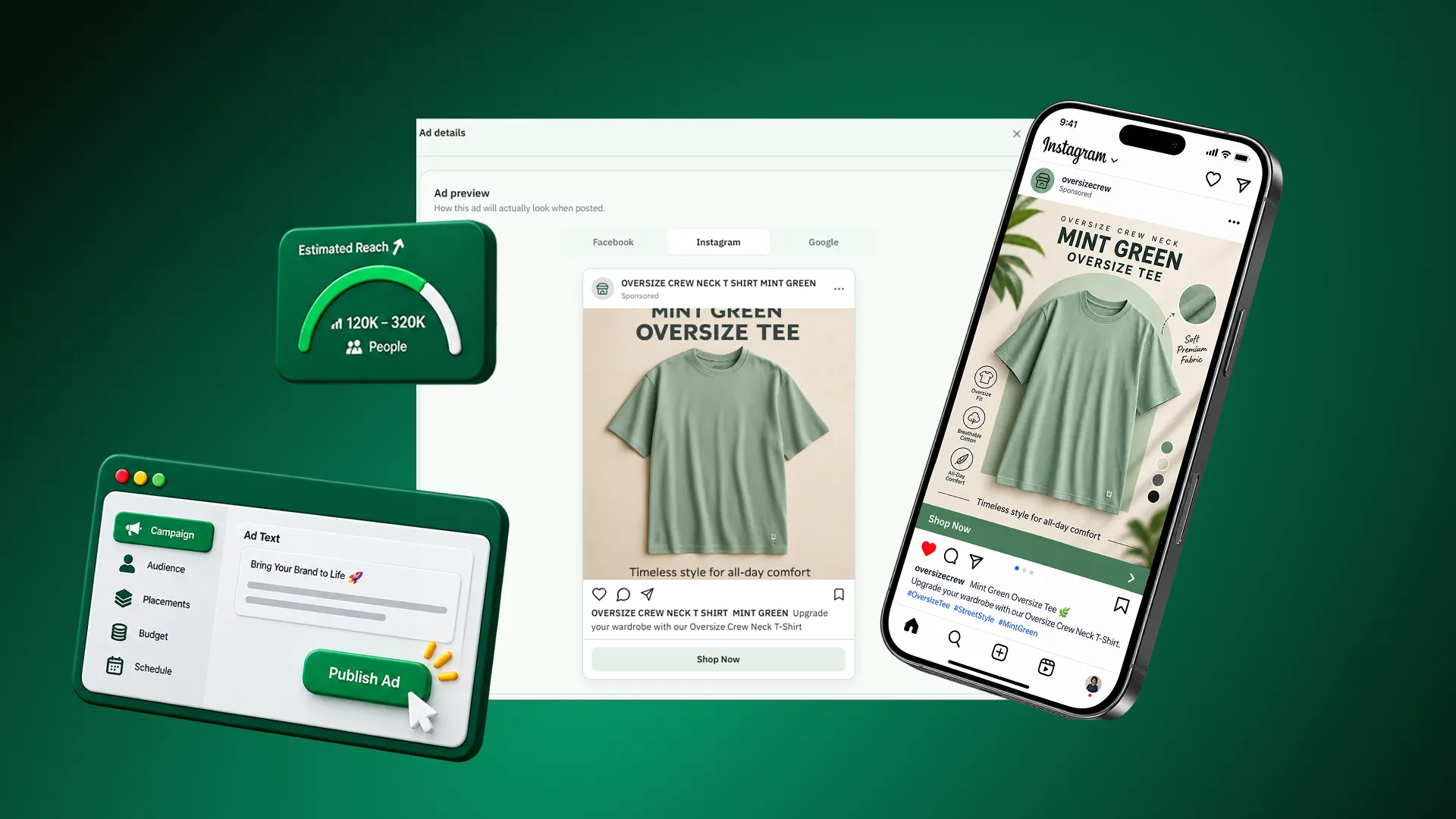
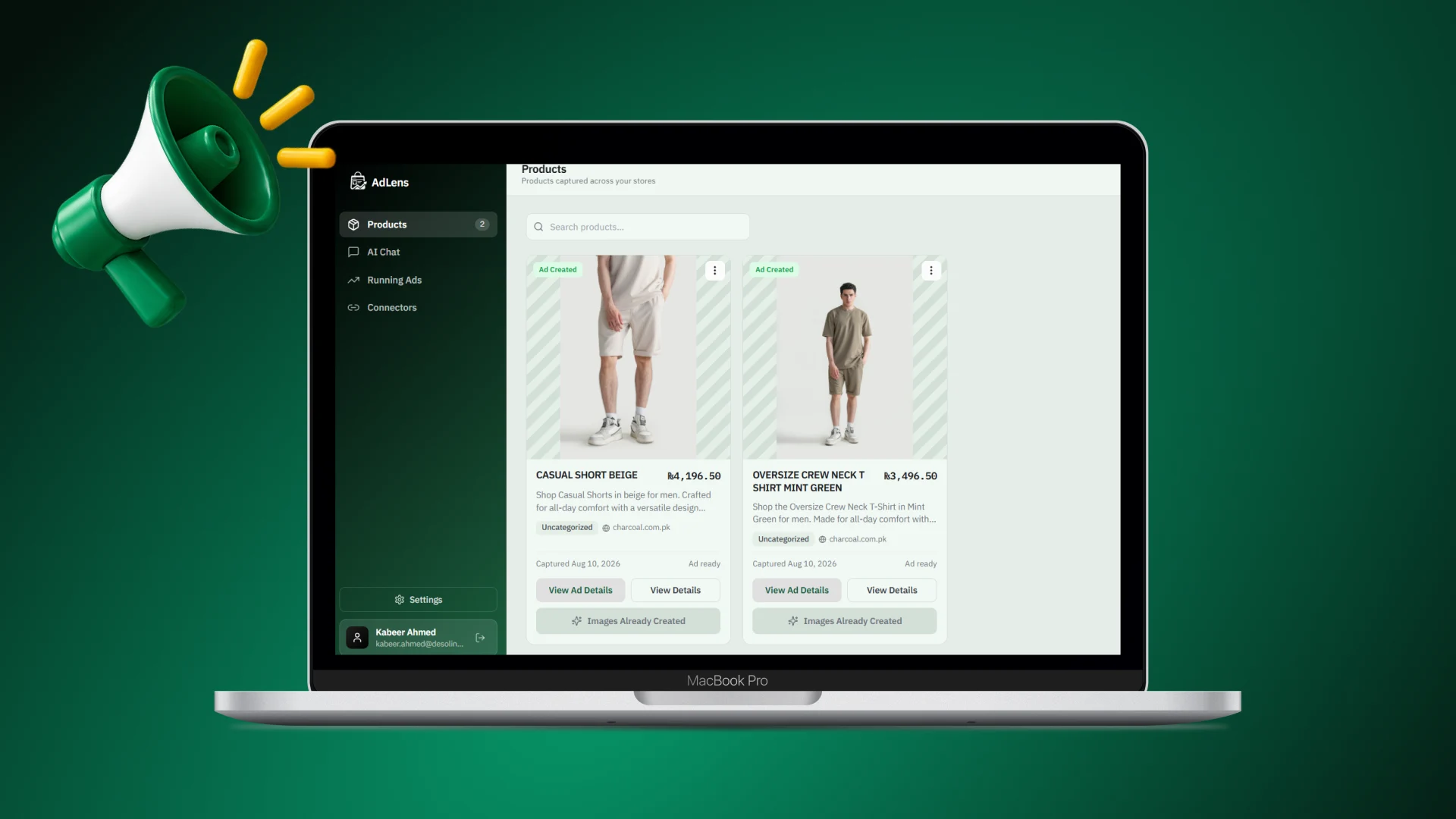
AdLens is an AI-assisted advertising workflow made up of a browser extension and a web application. The extension captures a product directly from its page — title, description, price, link and images — and that becomes structured context inside AdLens, which generates campaign copy, targeting direction and platform-ready marketing visuals. It is aimed at small teams and first-time advertisers preparing campaigns for Google and Meta.
THE PROBLEM
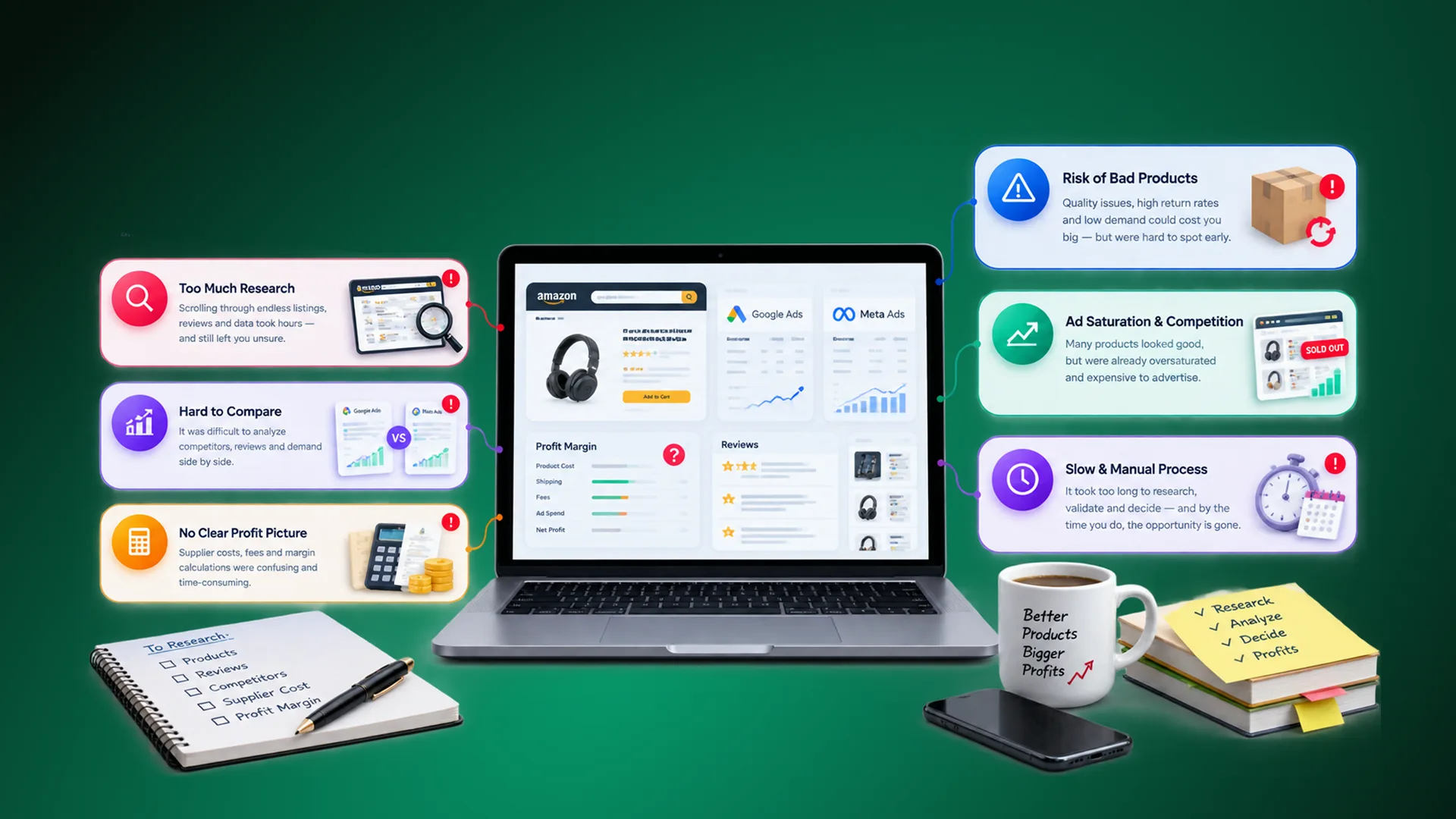
Digital advertising is powerful, but building a campaign still requires a long sequence of separate decisions: what to say, who to target, which platform to use, which creative formats to prepare, and how to turn raw product information into usable marketing material.
For small teams and first-time advertisers, most of those decisions require knowledge they do not have. They open a blank advertising dashboard and are asked to write platform-ready copy and choose an audience angle before they have any idea what a good version looks like.
The mechanical work is just as wasteful. The product information already exists on a website — written, priced and photographed — yet the advertiser still has to copy it out, rewrite it, resize images and reorganise everything for advertising. Google and Meta then require different creative formats and terminology, so the same work gets redone twice.
THE SOLUTION
We built AdLens as a single workflow that starts with the product itself rather than a blank dashboard, and ends with an editable campaign draft.
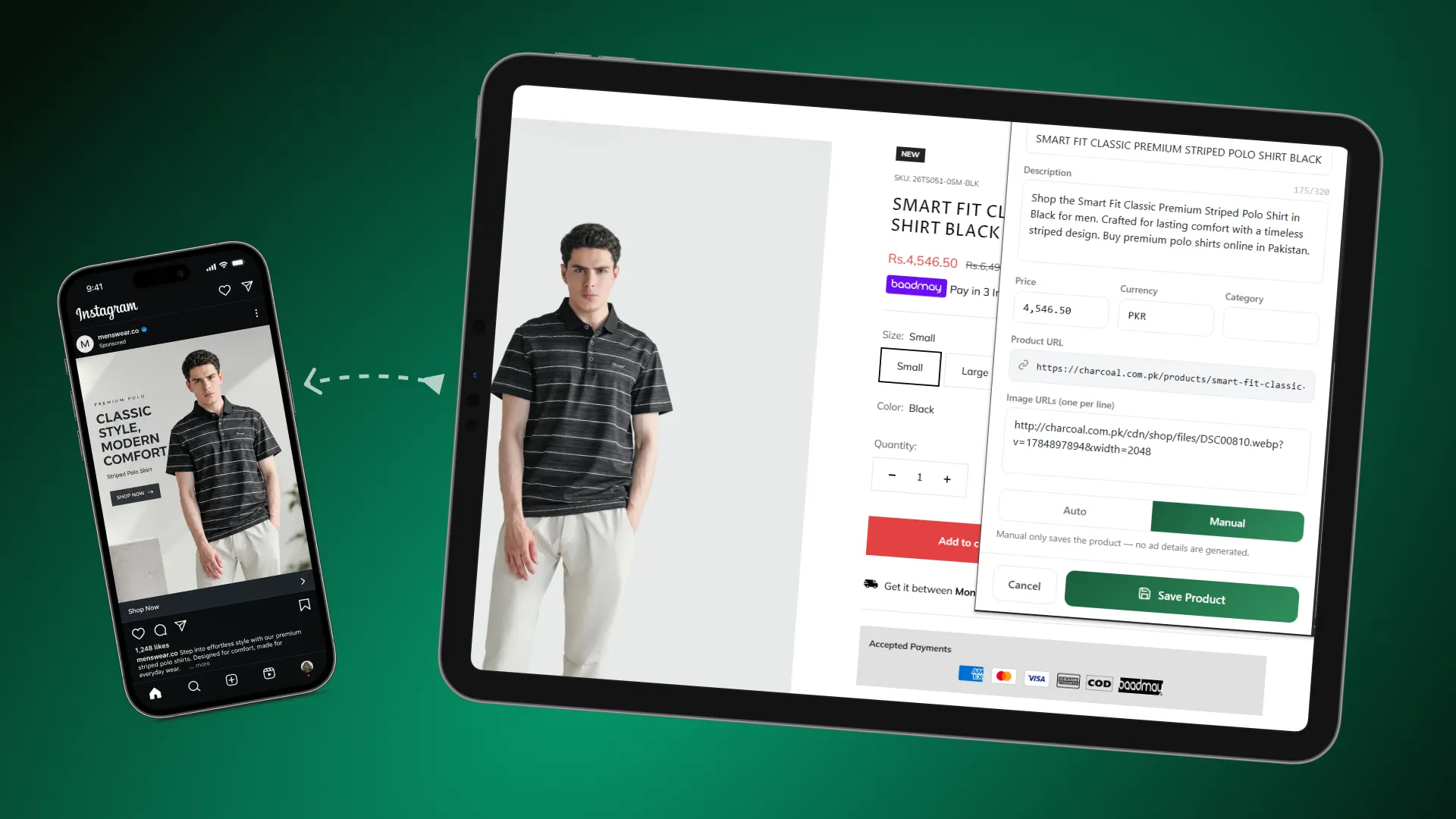
Capture instead of retyping. The browser extension scans the product page and extracts the available product information and image references, so the user never re-enters what the page already says. The captured product image is stored with the product as a reference and becomes the visual source when marketing creatives are generated, which keeps the generated imagery connected to the actual item being advertised.
Two ways to build a campaign. Before pressing Add, the user chooses Auto or Manual. In Auto mode, AdLens saves the product and immediately generates its marketing data — campaign direction, titles and headlines, supporting text, audience and targeting suggestions, calls to action and other campaign fields — producing an instant draft to review. In Manual mode the product is saved first and opened in a Chat tab with that product already attached as context; the assistant then asks only for what it still needs — goal, budget, duration, location, audience, preferred platform, and whether new images are required — and builds the campaign interactively.
AI where the expertise gap is. The AI does the work the inexperienced advertiser cannot: reading unstructured product information and turning it into platform-appropriate marketing copy, proposing a campaign angle and audience direction, and generating marketing images. When creatives are requested for Google, Meta or both, AdLens prepares three broadly reusable formats — vertical or reel, square or post, and landscape — using the captured product image as the visual reference. Everything generated is an editable draft, so the user reviews and adjusts the copy, targeting and creative recommendations before anything is used.
THE OUTCOMES
AdLens compresses the beginning of digital advertising into a product-first workflow. The setup work that involved copying, rewriting and resizing is replaced by a scan, and decisions that previously required specialist knowledge arrive as a concrete draft the user can react to — a far easier task than starting from nothing.
Because the product data stays connected throughout, the campaign, the copy and the creatives all refer to the same item, with no drift introduced by manual re-entry — and a single capture feeds both Google and Meta formats. Direct ad publishing is deliberately treated as future scope; the current product focuses on capture, campaign preparation, AI-generated marketing data and creative generation.
The project shows our practical experience with AI-assisted content generation, guided conversational workflows and image generation, applied to a task where the user’s real problem is not effort but expertise.